Introduction
Today I was really struggling to convert my pentesting writeups to PDF. For a little context, my notes are kept in a VSCode workspace fully written in Markdown. Each machine has their own Markdown file and images are simply imported by path. The main reason I chose to do this was because I was already familiar with Markdown and I liked having easy files to commit to GitHub.
Context
I tried to export all of my Markdown files into a single PDF with pandoc but it didn’t help as all of my code blocks ended up overflowing. After digging through Stack Overflow answers, it seemed like there weren’t really any good answers to mitigate this. I also disliked the formatting that pandoc output by default, so I decided to stick with the VSCode PDF generator.
Problem

The problem came when I tried to export a PDF in WSL1. My WSL is running Ubuntu 20.04 and using the Markdown PDF generator, it always gave me errors either with shared libraries or Chrome not being available. It however did work fine in Windows VSCode — just not WSL VSCode.
Solution
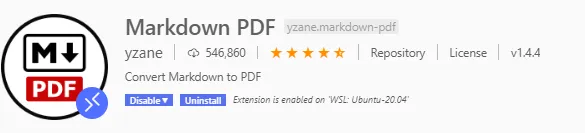
The solution is to install all of the missing libraries and required dependencies.
The following commands are what worked for me; however, your mileage may vary.
sudo apt-get update
npm install puppeteer -g
sudo apt-get install chromium-browser

# Fix for WSL1 issue: https://github.com/microsoft/WSL/issues/4898
wget https://launchpad.net/~rafaeldtinoco/+archive/ubuntu/lp1871129/+files/libc6_2.31-0ubuntu8+lp1871129~1_amd64.deb
sudo dpkg --install libc6_2.31-0ubuntu8+lp1871129~1_amd64.deb
sudo apt-mark hold libc6
sudo apt --fix-broken install
sudo apt full-upgrade

# Install Chrome
wget -q -O - https://dl.google.com/linux/linux_signing_key.pub | sudo apt-key add -
wget https://dl.google.com/linux/direct/google-chrome-beta_current_amd64.deb
sudo dpkg -i google-chrome-beta_current_amd64.deb
sudo apt -f install
sudo dpkg -i google-chrome-beta_current_amd64.deb

# Install required libraries
sudo apt-get install gconf-service libasound2 libatk1.0-0 libc6 \
libcairo2 libcups2 libdbus-1-3 libexpat1 libfontconfig1 libgcc1 \
libgconf-2-4 libgdk-pixbuf2.0-0 libglib2.0-0 libgtk-3-0 libnspr4 \
libpango-1.0-0 libpangocairo-1.0-0 libstdc++6 libx11-6 libx11-xcb1 \
libxcb1 libxcomposite1 libxcursor1 libxdamage1 libxext6 libxfixes3 \
libxi6 libxrandr2 libxrender1 libxss1 libxtst6 ca-certificates \
fonts-liberation libappindicator1 libnss3 lsb-release xdg-utils wget \
x11vnc x11-xkb-utils xfonts-100dpi xfonts-75dpi xfonts-scalable \
xfonts-cyrillic x11-apps xvfb